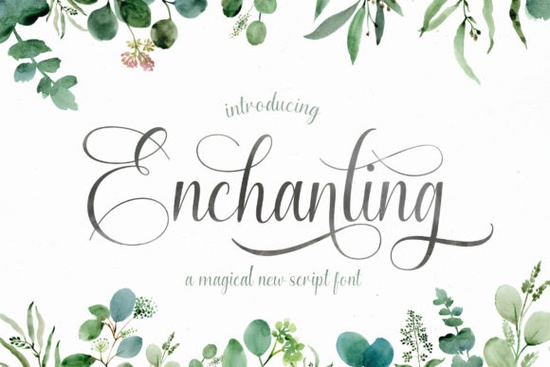
If you need a handwritten typeface that feels both polished and personal, Enchanting Script Font delivers exactly that. Designed with smooth curves and natural stroke variation, it works well for logos, branding kits, quote graphics, and print-on-demand products. The letters carry a relaxed, timeless quality that keeps your layouts from looking stiff or overly digital.
What makes this handwritten typeface stand out?
Many scripts look too rigid or become hard to read at small sizes. This design keeps the baseline steady and spacing balanced. Subtle pen-pressure variations give the text a handcrafted feel without sacrificing clarity. You can preview the full character set on the Enchanting Script page to see how the letters connect in actual layouts.
The typeface is PUA encoded, which simplifies your workflow. Every swash, ligature, and stylistic alternate maps directly to your glyph panel. You can pull up decorative tails without extra plugins or workarounds.
Where does a flowing script work best?
Handwritten fonts shine when they have room to breathe. This style is built for projects that need elegance without looking corporate. It consistently performs well for:
- Brand identities: boutique logos, studio names, and maker marks
- Print-on-demand: mug quotes, tote bag typography, and wall art
- Social graphics: Instagram quotes, Pinterest pins, and story overlays
- Packaging: product labels, thank-you cards, and tissue paper stamps
Keep the script as your focal point and pair it with a clean sans serif for body copy. When the decorative letters carry the visual weight, the rest of your design stays readable.
How do you access the extra swashes and glyphs?
Open your software’s glyph panel to access the extras. In Illustrator, switch the view to “Alternates for Selection.” Photoshop users can check the stylistic sets dropdown, while Canva creators can paste characters from a standard map tool. Type your headline, then swap the first and last letters for their swash versions. Skip underline or italic formatting, since the natural stroke variation already provides emphasis.
Which other script pairings complement this style?
Keeping a few complementary typefaces in your library speeds up layout decisions. If you want tighter loops for a signature mark, compare it with the autography style. For floral themes, the butterfly-inspired script adds a softer touch. When you need a geometric contrast, the overthinker typeface works well, while the monday lettering grounds busy compositions with minimalist lines.
You can also browse how designers are using similar handwritten styles by checking the Enchanting Script Font reference page for licensing details and mockups.
What should you watch out for when using script fonts?
Handwritten typefaces need space to stay legible. Avoid tight tracking, since connecting strokes require room to flow. Reserve the font for headlines or short quotes rather than long paragraphs. If you are cutting vinyl or heat transfer material, simplify the swashes and run a test cut first. Thin hairlines often tear during weeding, so a slight stroke increase prevents wasted material. Always test cut a single word before running a full production batch. The download includes standard OTF and TTF files that install on Windows and Mac, then appear automatically in Cricut Design Space, Silhouette Studio, and Adobe programs.
Before you finalize your next layout, run through this quick checklist:
- Set the script at 36pt or larger for clean readability
- Use swashes only on the first or last letter to avoid clutter
- Pair with a simple sans serif for supporting text
- Check contrast against your background before exporting
- Export a test print or cut sample to verify stroke thickness
Install the font, open your glyph panel, and try swapping two alternates in your headline. You will see how a small change instantly gives your design a custom, hand-finished look.
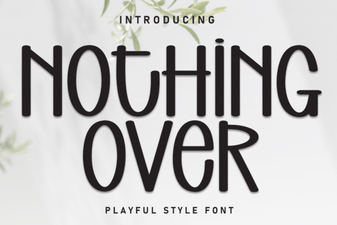 Choosing Fonts for Minimalist Design Projects
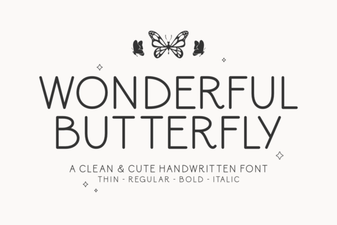 A Beautiful Butterfly Font for Creative Projects
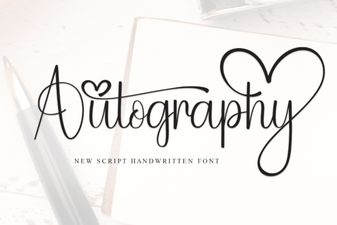 Autography: Designing with Your Handwriting Font
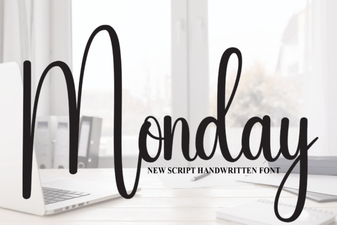 Monday Font: Design Tips & Creative Project Ideas
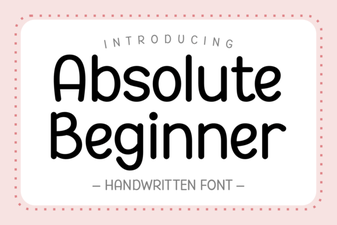 Fonts for Beginners: Simple, Creative Design Projects
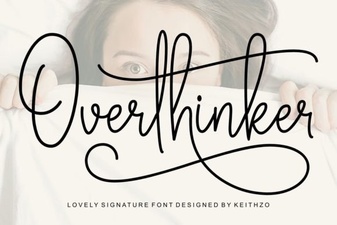 The Overthinker Font: a Designer's Mind in Type