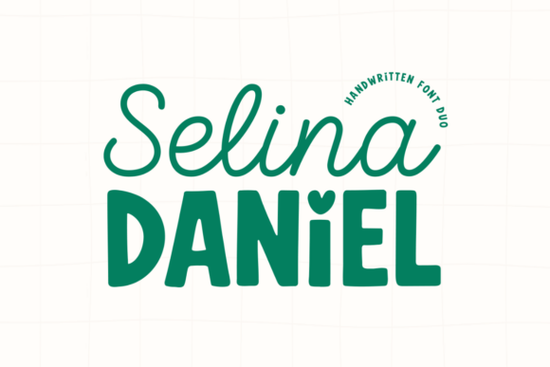
If you need a typeface that handles both delicate headings and bold supporting text without looking mismatched, Selina Daniel Duo Font gives you exactly that in one download. Instead of hunting for two separate typefaces that might clash, this package pairs a light, flowing script with a chunky, playful sans-serif. Both styles share the same hand-drawn foundation, so they naturally sit well together on logos, product labels, and social graphics.
What makes this font duo work so well together?
The secret is in the contrast. The script side, named Selina, keeps things light and romantic with smooth connections and a spontaneous rhythm. It works best when you want a personal, handwritten feel without sacrificing readability. The companion style, Daniel, takes the opposite approach. It is thick, grounded, and slightly rounded, which gives your layout a sturdy base. You will also notice a small but thoughtful detail: a heart-shaped dot over the lowercase i. That single touch adds personality without turning the design into a novelty.
Because both fonts were drawn with the same modern, hand-crafted stroke weight in mind, you get visual harmony automatically. You do not need to adjust tracking or force alignment to make them look like they belong on the same page.
Where should you actually use these fonts?
This combination shines when your project needs clear visual hierarchy. Use the script for main titles, signatures, or short phrases, and let the sans-serif handle subheadings, dates, pricing, or longer descriptions. Here are a few places where that balance pays off:
- Boutique and craft branding: Product tags, thank-you cards, and shop banners that need a friendly but polished look.
- Wedding stationery: Invitations, seating charts, and menu cards where elegant names pair with practical details.
- Print-on-demand apparel: T-shirt quotes, tote bags, and mugs that mix a standout phrase with smaller supporting text.
- Social media graphics: Instagram stories, Pinterest pins, and quote templates that require quick readability on small screens.
If you are building a cohesive brand kit, you might also explore other display options like handwritten display styles or editorial-inspired typefaces to round out your typography library. When you want to keep the same cohesive vibe across multiple campaigns, browsing matching script and sans sets can save you hours of trial and error.
How do you install and access the special characters?
Both fonts come with full PUA encoding, which means every alternate, ligature, and special glyph is accessible without extra software. Once you install the OTF or TTF files on your system, programs like Cricut Design Space, Silhouette Studio, Canva, and Adobe Illustrator will recognize the characters automatically. You can open your operating system’s character map or use the built-in glyph panel in your design software to swap in the heart dot or test different letter connections.
For crafters cutting vinyl or heat-transfer material, remember to weld or attach your script text before sending it to the cutter. This keeps the flowing letters connected as a single path and prevents gaps during weeding.
What should you pair it with for balanced layouts?
Since the duo already covers both decorative and functional roles, you rarely need a third font. If your design calls for body copy or fine print, stick to a clean, neutral sans-serif at a smaller size. Keep the script reserved for short headlines, and let the chunky companion handle medium-length text. When you need a different mood for seasonal promotions or kids’ products, you can always test alternatives like playful youth-oriented letters or classic retro display types to match the campaign theme.
You can preview the full character set and licensing details for Selina Daniel Duo Font before adding it to your workspace.
Choosing the right typeface comes down to how well it handles real-world spacing, sizing, and contrast. This duo removes the guesswork by giving you two matched styles that scale cleanly from business cards to storefront signage. Before you finalize your next layout, run through a quick quality check:
- Test the script at both large and small sizes to ensure the thin strokes remain crisp.
- Keep line spacing slightly loose for the chunky sans-serif so the letters breathe.
- Limit the script to one or two lines per design to maintain readability.
- Export a test print or mockup to verify color contrast against your background.
- Save your font pairing as a brand style preset to speed up future projects.
Download the files, install them on your primary design machine, and start building templates that look consistent across every platform you sell on.
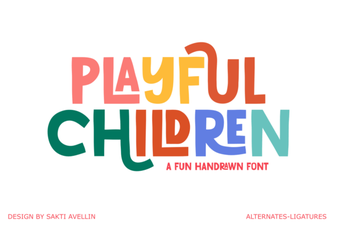 Playful Fonts for Creative Kids’ Projects
 Unlock Victorian Elegance with Iii Fonts for Design
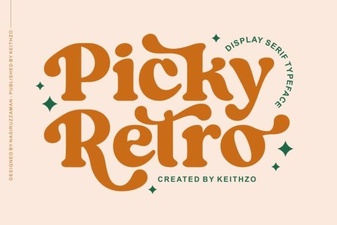 Reviving Design with Picky Retro Fonts
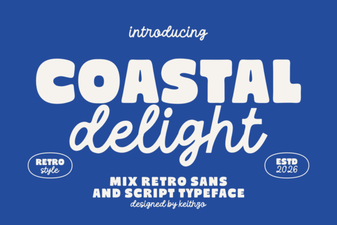 Coastal Delight: Elegant Fonts for Seaside Projects
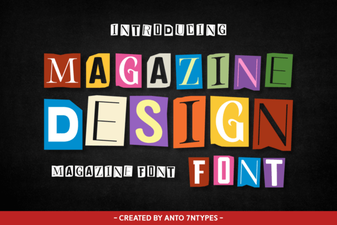 Crafting Legible Magazine Design with Modern Fonts
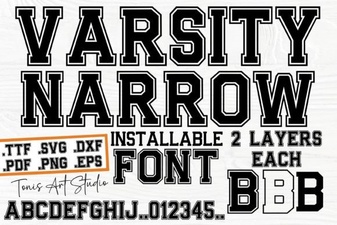 Modern Varsity Fonts for Sports & Branding Projects